Everything you need to print a cheque, and nothing you don't.
CheckYourself is a focused, native macOS app. No hidden settings, no surprise upsells, no cloud accounts to maintain — just the tools to lay down a clean, bank-compliant cheque every time.
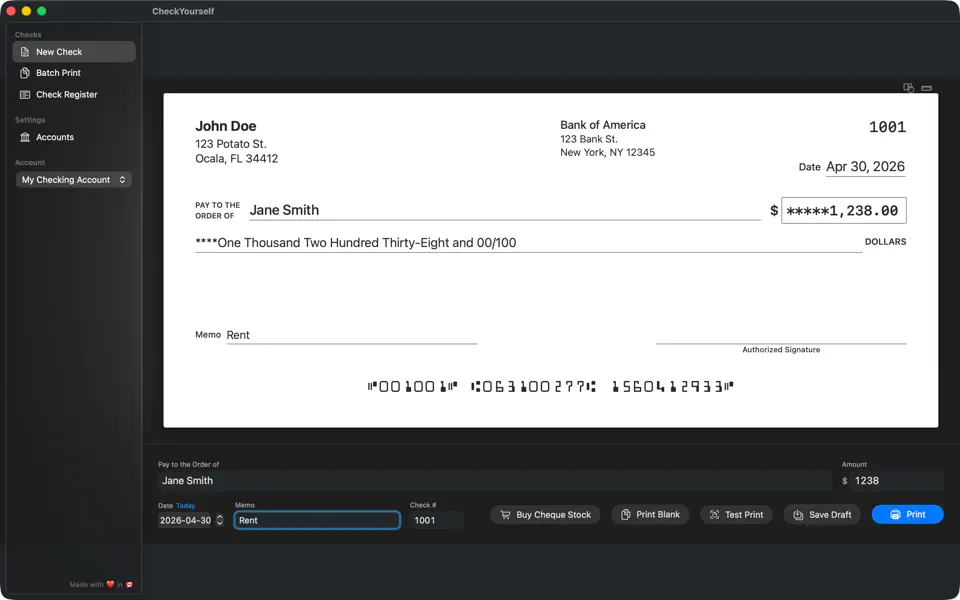
Pre-printed stock or blank cheque stock
Already have pre-printed cheque stock? Drop your routing and account numbers in, pick the layout, and CheckYourself nails the alignment. Don't have any yet? Pick up a ream of blank cheque stock for about $15–$25 — the app draws the entire cheque body, including the MICR line.
- Pre-printed cheque stock from any vendorPerfect alignment via the interactive drag-and-drop layout editor with snap-to-grid.
- Blank cheque stockCheckYourself draws the cheque body and MICR line from scratch using your bank details. We recommend proper blank stock with security features — Amazon US · Amazon Canada.
- Plain paper for testing onlyPlain 8.5" × 11" works for the free tier's VOID mode and for alignment testing — but production cheques should run on proper stock.
- Four page layouts, ready to go3-per-page, top-stub, middle-stub, bottom-stub — fits any major vendor's stock.
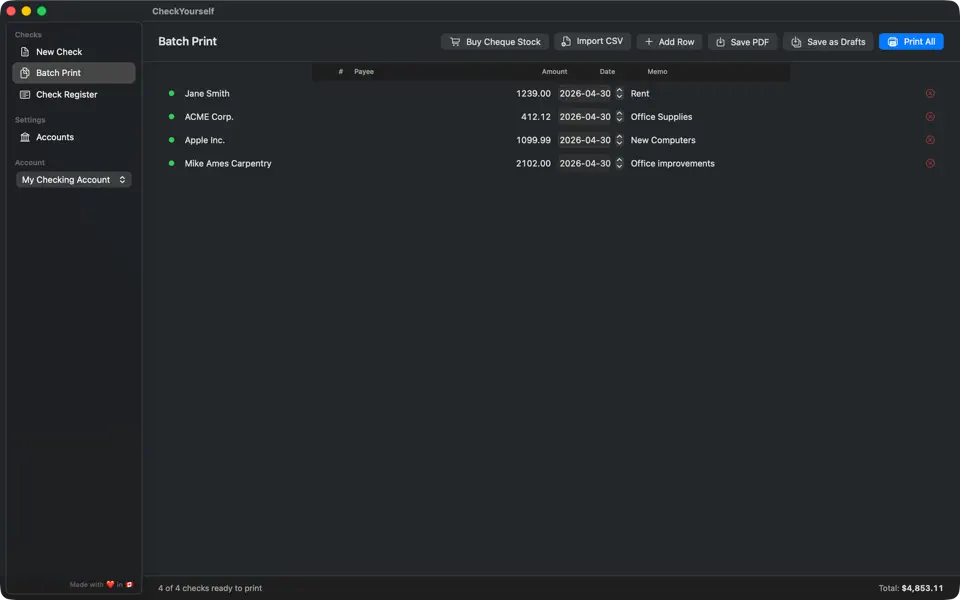
Drop a CSV, walk away with a stack of cheques.
Import dozens or hundreds of cheques from a spreadsheet. CheckYourself auto-detects columns by header name — payee, amount, memo, date — so there's no field mapping to fight with.
- CSV import with column auto-detectionDrop in payroll, vendor lists, or rent rolls and CheckYourself maps the fields.
- Pause-and-resume queueEdit drafts mid-job, reprint a single cheque, or save and come back tomorrow.
- Save individual cheques as PDFSend proofs by email without consuming a cheque number.
Compliant the moment you install
No certifications to chase, no fonts to buy
ANSI X9.100-20
Conforms to the current US cheque specification on MICR placement, clear zones, and image quality.
CPA Standard 006
Clears any CPA-compliant scan-and-clear workflow at Canadian banks without manual adjustment.
E-13B MICR fonts
Magnetic-ink glyphs ship at spec density, ready for any branch or remote-deposit scanner.
Mobile-deposit ready
Every cheque clears mobile deposit, ATM imaging, and ACH processing on first scan.
USD-funds support
Canadian accounts holding USD funds use the correct CPA transaction codes automatically.
Trust account safe
Run client trust, retainer, and IOLTA accounts side-by-side with separate registers.
Dial in any vendor's stock in a minute.
Pre-printed stock from different vendors lands a millimeter or two differently. CheckYourself ships with everything needed to dial it in — without wasting a stack of paper.
- Test cheque modePrint a void cheque to verify positioning before wasting stock.
- Calibration grid overlayDrop a grid over your stock for precise field placement.
- Per-account offsetsHorizontal and vertical offsets per account, plus per-stub offsets for one-cheque layouts.
- Per-field draggable editorNudge individual fields with arrow keys or drag with snap-to-grid.
Cloud-friendly, never cloud-dependent
Your account numbers and cheque history never leave your Mac
No accounts to create
No email, password, or verification loop between you and your printer. Install and print.
100% native macOS
No servers, no third-party tracking, no telemetry in the app. Its Apple privacy label says "Data Not Collected" because the app collects nothing.
Sync with what you have
Store data anywhere — iCloud Drive, Dropbox, OneDrive, or any synced folder for automatic backup and multi-Mac access.
Offline, instant
No servers to wake up, no sync delay. The app is ready the moment it opens, even on a plane.
Searchable register
Find any cheque by payee, amount, or date — no spreadsheet hunting at month-end close.
Auto-saved drafts
Close the app mid-batch and nothing is lost. Open it back up exactly where you left off.
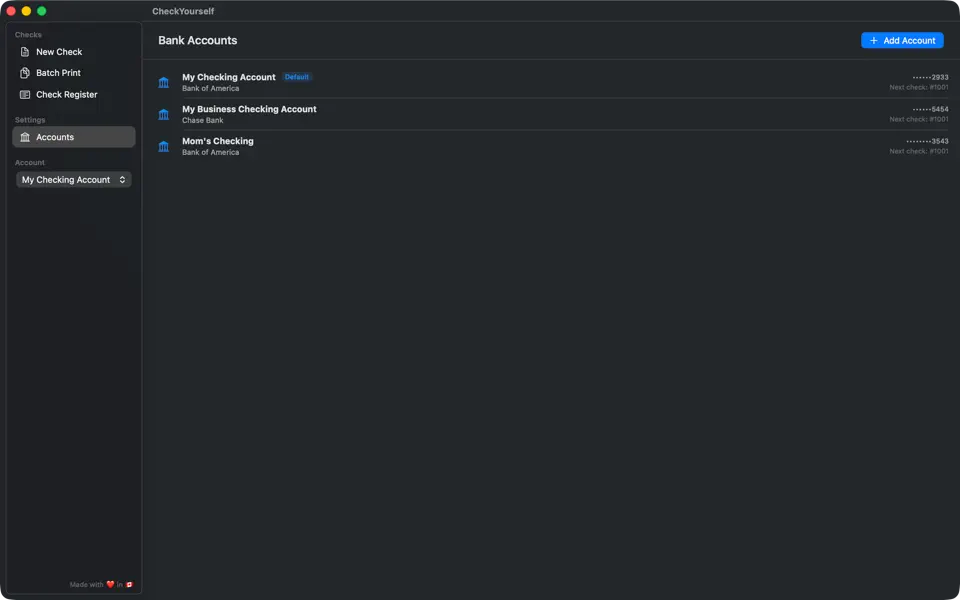
Personal, business, trust — all on one Mac.
Multiple bank accounts each get their own calibration, address, currency, and cheque numbering. Switch between them from a single dropdown. Multi-client bookkeepers keep clean books per entity, with one-click switching.
- Unlimited accountsNo per-seat fees, no per-account fees — ever.
- Per-account cheque numberingEach account tracks its own series, so numbers never collide.
- Country-aware terminologyUS accounts say "check," Canadian accounts say "cheque," and the right MICR standard is applied automatically.
Everything else
The complete feature list
Asterisk amount masking
Amounts auto-pad with leading asterisks (*****1,238.00) so no one can alter the number after you sign.
Asterisk words protection
The amount-in-words line is padded too — ****One Thousand Two Hundred Thirty-Eight — closing the second-most-altered field on a cheque.
Real-time preview
WYSIWYG — what you see is exactly what prints.
Void & duplicate
Mark cheques void or duplicate them from the register.
CSV export
Export the full register for your accountant.
Reprint
One-click reprint with the same cheque number.
PDF export
Save any cheque as PDF without consuming a number.
Localized
English, Spanish, and Canadian French built-in.
VOID watermark mode
Free tier prints fully-formed cheques with a watermark for testing.
Cancel in two clicks
Cancel subscription from System Settings — no phone trees, no retention emails.
Light weight
1.1 MB download. Opens in under a second on Apple Silicon.